Best Apps for Amazon Listing Images in 2026 (Seller Guide)
The best apps for Amazon listing images in 2026: Caspa AI, Photoroom, Canva and Amazon's own tools compared on compliance, quality, price and speed.
On this page
Your images do most of the selling on Amazon. The main image decides whether shoppers click your listing at all, and the secondary images decide whether they buy. The good news for small sellers: you no longer need a studio to compete. This guide compares the apps we recommend to founders in our programs, and exactly which image each one should produce for you.
The short version: use Caspa AI as your core tool for the full image stack (compliant main image, lifestyle shots, infographics and video), keep Photoroom in your pocket for quick phone edits, and use Canva if you prefer building infographics by hand. Amazon’s own AI tools are free but limited.
What Amazon Actually Requires
Before picking an app, know the rules your main image must pass: a pure white background (RGB 255, 255, 255), the product filling roughly 85% of the frame, no logos, watermarks or text, and at least 1,600 pixels on the longest side so zoom works. Secondary images are where lifestyle scenes, infographics and comparison charts belong. Get the main image wrong and Amazon can suppress the listing; get the secondary images wrong and shoppers scroll past. Our full walkthrough: how to create photos for an Amazon listing.
1. Caspa AI: Best All-Round Tool for Amazon Sellers
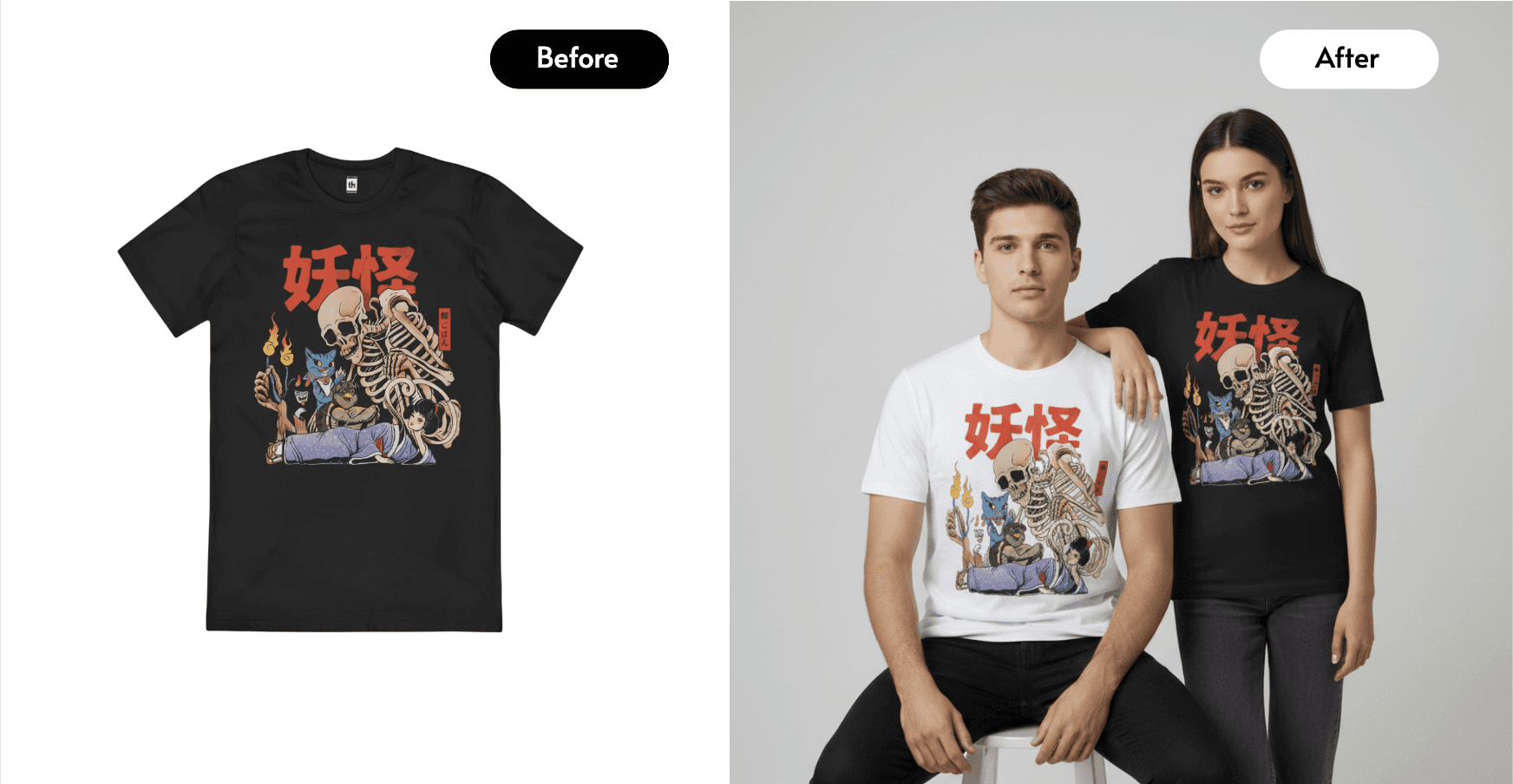
Caspa AI covers the entire Amazon image stack from one product photo taken on your phone: a compliant pure-white main image, lifestyle scenes that look shot on location, images with realistic AI models using your product, infographics and A+ content, and short product videos for the listing’s video slot.

Because Caspa generates the scene around your actual product rather than pasting a cutout onto a stock background, lighting and shadows hold up under Amazon’s zoom, which is where cheaper composites get caught out.
Pricing starts at $39/month for 500 image credits, with video from $66/month. New accounts get 10 free credits with no card required, and there is a 30-day money-back guarantee, so you can test it on your own catalog risk-free.
Best for: FBA and FBM sellers who need the whole image stack, private-label brands, and anyone adding video to listings.
Weaknesses: web only, and if all you ever need is background removal on existing photos, a simpler editor is cheaper.
Create your Amazon image stack with Caspa AI
2. Photoroom: Best for Quick Edits on Your Phone
Photoroom is the fastest way to cut a product out of a photo and drop it onto a white background from your phone. For a compliant main image of a simple product, it does the job in under a minute, and batch tools on paid tiers help with large catalogs.
Best for: quick main-image cleanups and bulk background removal.
Weaknesses: the free tier watermarks images and blocks commercial use, so selling on Amazon requires a paid plan (Pro from around $7.50/month billed annually). Lifestyle images are composites, there are no product videos, and infographics are manual template work.
3. Canva: Best for Hand-Built Infographics
Canva’s template library makes it a solid choice for the comparison charts and feature callouts in your secondary image slots, if you enjoy doing design work yourself. Its AI image tools, however, are general-purpose: producing photorealistic scenes with your exact product is not what they are built for.
Best for: sellers who want hands-on control over infographic design.
Weaknesses: manual and time-consuming per image; not a product photography tool.
4. Amazon’s Own AI Image Tools: Free but Basic
Amazon has been rolling out free AI image generation inside the ad console, which can place products into simple lifestyle backgrounds for Sponsored Brands ads. It costs nothing and lives where your ads live.
Weaknesses: limited control, basic scene variety, and outputs are geared to ads rather than your listing gallery. Worth using alongside a proper tool, not instead of one.
Comparison at a Glance
| Caspa AI | Photoroom | Canva | Amazon AI tools | |
|---|---|---|---|---|
| Compliant white main image | Yes | Yes | Partly (manual) | No |
| Lifestyle scenes | Yes, generated | Composited | Limited | Basic |
| AI models using your product | Yes | Limited | No | No |
| Infographics / A+ content | Yes, generated | Templates | Yes, manual | No |
| Product video for listings | Yes | No | Basic | No |
| Free to test commercially | 10 credits, no card | Paid plan needed | Free tier | Free |
| Starting price | $39/mo | ~$7.50/mo annual | ~$12/mo Pro | Free |
| Money-back guarantee | 30 days | No | No | n/a |
The Workflow We Teach Sellers
Step 1. Photograph your product once, in daylight, on any plain surface. A phone is fine.
Step 2. Generate the main image first: pure white background, product large in frame, nothing else.
Step 3. Build 4 to 6 secondary images: two lifestyle scenes, one on-model or in-use shot, one infographic with your key benefits, one scale or comparison shot.
Step 4. Add a short product video; listings with video convert measurably better and most competitors still do not have one.
Step 5. Re-run the same flow each season so your gallery never goes stale, especially before Q4.
With Caspa this whole stack comes from the one phone photo; with the editor tools you will be assembling it piece by piece. Full Shopify version of this workflow: professional Shopify product photos with AI.
Try it free on your own product, 10 credits, no card
FAQ
Does Amazon allow AI-generated images?
Yes, provided images truthfully represent the physical product. Generated backgrounds and scenes are fine; altering the product itself is not. Keep the main image to the pure-white rules and use AI scenes in secondary slots.
What is the cheapest way to get compliant Amazon images?
For one or two simple products, Photoroom’s paid plan is the cheapest compliant route. Across a catalog that also needs lifestyle shots, infographics and video, Caspa’s per-asset cost works out lower than combining an editor, a designer and a videographer.
Do I really need a listing video?
You are not required to have one, but video occupies a high-attention slot in the gallery and most small competitors leave it empty. It is the cheapest visibility win available right now, and AI generation has removed the cost barrier.
Ecommerce Education is a registered Canadian not-for-profit. Caspa AI supports our free programs for underrepresented founders, and our guides use it for worked examples; the comparison above is our honest assessment.
Building a store? We'll back you.
Free guides, mentorship windows and networking events for underrepresented founders, straight to your inbox.